
|9 min read|Amara Winkler
Free Price Monitoring Tools: The Complete Guide for Small E-Commerce Stores
free price monitoring toolsprice tracking freecompetitor price monitoring freeecommerce price trackingfree competitor analysisprice monitoring small business

Source: Unsplash
Why Free Tools Are Enough for Most Small Stores
Enterprise price monitoring platforms charge $200 to $2,000 per month. For a store with fewer than 100 products and a handful of direct competitors, that's overkill. The math makes this obvious. Consider a typical small store scenario:Monthly revenue: $8,000
Average product margin: 35%
Monthly gross profit: $2,800
Enterprise monitoring tool cost: $300/month
Tool cost as % of gross profit: 10.7%
Free tool cost: $0/month
Time spent (4 hours/month × $25/hr): $100/month
Effective cost as % of gross profit: 3.6%
Monthly savings using free tools: $200
Annual savings: $2,400The 6 Best Free Price Monitoring Options Compared
Not all free tools work the same way. Some track specific marketplaces, others monitor any webpage for changes, and some require manual effort but give you full control. Here's how they stack up:| Tool | Best For | URLs Monitored (Free) | Check Frequency | Price-Specific | Alerts |
|---|---|---|---|---|---|
| Google Shopping Alerts | Google Shopping listings | Unlimited keywords | Daily | Yes (shopping only) | |
| Distill.io | Any webpage | 25 pages | 6 hours | No (tracks any change) | Email, SMS |
| Visualping | Any webpage | 5 pages | Daily | No (visual diff) | |
| Keepa (Free Tier) | Amazon products | Unlimited | 1-3 hours | Yes | Email, browser |
| CamelCamelCamel | Amazon products | Unlimited | Several hours | Yes | |
| Manual Spreadsheet | Full control | Unlimited | Manual | Yes | None |

Source: Unsplash
Source: Unsplash
Free Tool Limitations at a Glance
Understanding the tradeoffs upfront saves headaches later. Here is a side-by-side look at what each free tool cannot do:| Tool | Max URLs (Free) | Minimum Interval | Historical Data | API Access | Multi-User | Custom Alerts |
|---|---|---|---|---|---|---|
| Google Shopping Alerts | N/A (keywords) | 24 hours | No | No | No | No |
| Distill.io | 25 | 6 hours | 30 days | No | No | Basic |
| Visualping | 5 | 24 hours | No | No | No | No |
| Keepa (Free) | Unlimited | 1-3 hours | Yes (graph only) | No | No | Basic |
| CamelCamelCamel | Unlimited | Varies | Yes (graph only) | No | No | Basic |
| Manual Spreadsheet | Unlimited | Manual | Only if you track it | N/A | Yes (shared doc) | N/A |
Step-by-Step Setup Guide
Step 1: Identify Your Priority Products
Don't monitor everything. Start with the products that matter most:- Top 10 by revenue — these drive your business
- Products with the thinnest margins — a competitor undercutting you here hurts the most
- New arrivals — you need competitive data fast to set the right initial price
Step 2: Map Competitor URLs
For each priority product, find the exact URLs where competitors list the same or equivalent product. Create a simple spreadsheet with columns for:- Your product name
- Your current price
- Competitor name
- Competitor URL
- Last checked price
- Last checked date
Step 3: Set Up Automated Alerts (Distill.io)
Distill.io is the most versatile free option for non-Amazon monitoring. Here's how to set it up:Step 4: Set Up Amazon Tracking (Keepa)
If any of your competitors sell on Amazon:Step 5: Schedule Weekly Manual Checks
Even with automated tools, schedule 30 minutes each week to:- Update your spreadsheet with any price changes the tools caught
- Manually check the few URLs that didn't fit in your free tool limits
- Review trends — are competitors gradually increasing or decreasing prices?
- Adjust your own prices where the data supports it
Step 6: Calculate Your Real Margins After Adjustments
Every time you adjust a price based on competitive data, run the numbers. It's easy to chase a competitor's price downward without realizing you've crossed below profitability. A Profit Margin Calculator helps you verify that any price change still leaves healthy margins after all costs.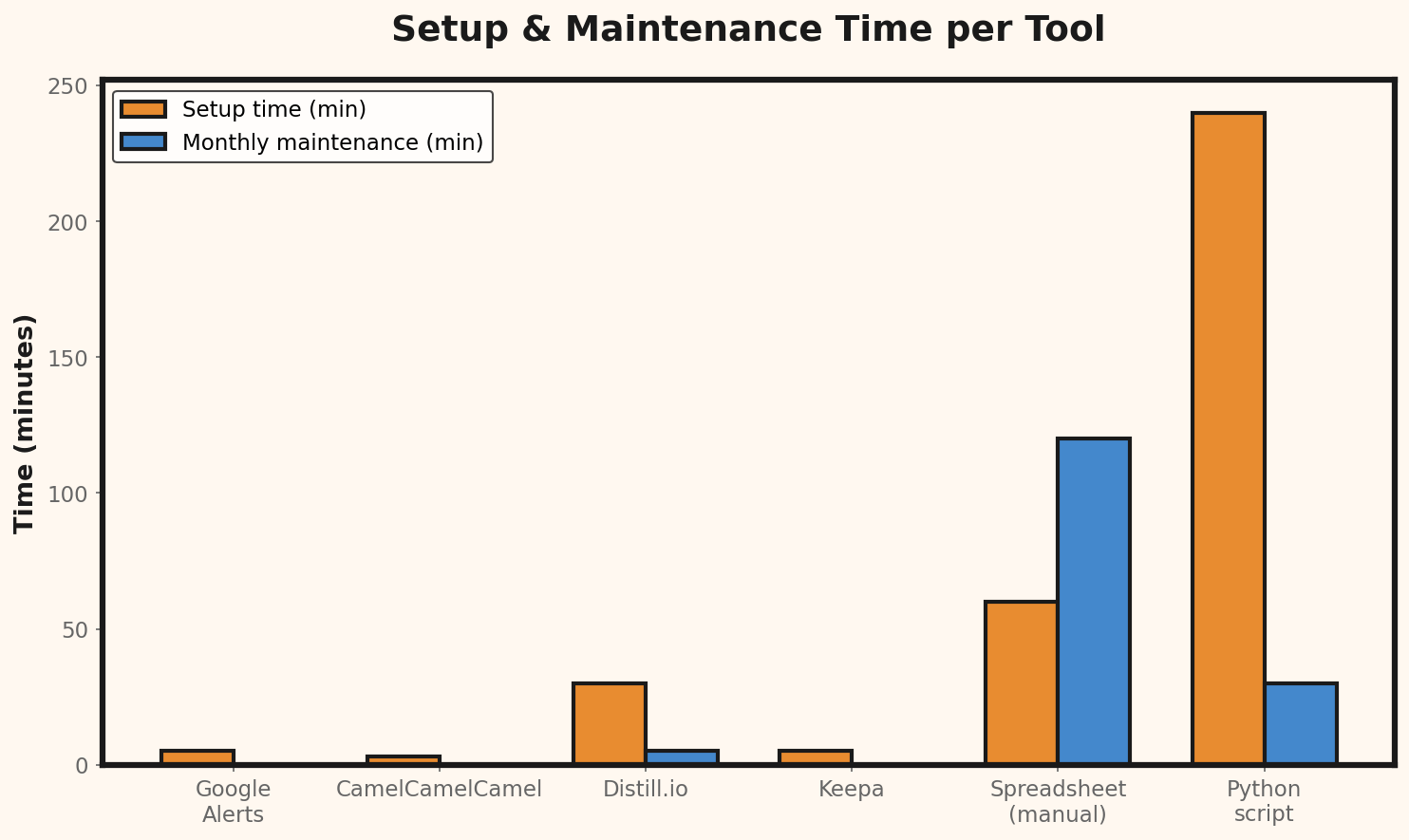
When Free Tools Stop Being Enough
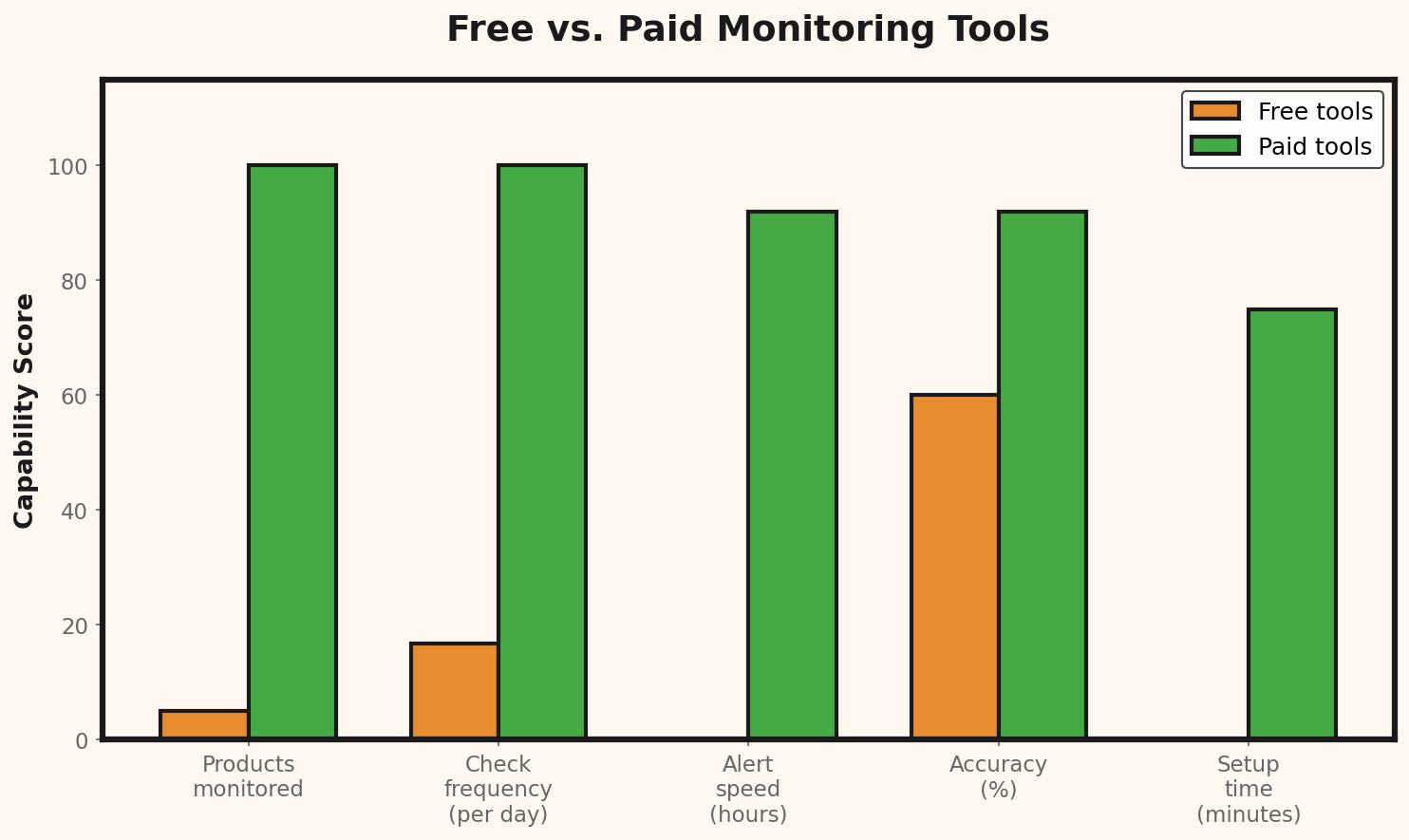
Free tools have real limitations. At a certain scale, those limitations cost you more than a paid tool would. Here are the signals that you've outgrown the free approach:- You're monitoring more than 30 URLs — the manual overhead becomes a part-time job
- You need checks more than once per day — free tiers can't keep up with dynamic pricing
- You're missing price changes — competitors adjust prices and you only notice days later
- Multiple team members need access — free tools are typically single-user
- You sell on multiple marketplaces — coordinating pricing across Amazon, eBay, and your own store requires centralized data
Scenario: Store with 80 monitored competitors

Manual monitoring time:              12 hours/month
Your hourly rate:                    $30/hour
Monthly cost of manual monitoring:   $360

Estimated revenue lost from delayed
price reactions (conservative):      $400/month

Total cost of "free" approach:       $760/month

Paid monitoring tool:                $99/month
Time saved:                          10 hours/month ($300)

Net monthly savings from upgrading:  $961
ROI on paid tool: 871%Building a Price Response Framework
Monitoring prices is only half the equation. You also need a plan for what to do when prices change. Without a framework, you'll either react too slowly or make knee-jerk adjustments that hurt margins. Define rules in advance:- Competitor drops price by less than 5%: Do nothing. Minor fluctuations are normal.
- Competitor drops price by 5-15%: Evaluate whether to match. Check if it's a sale or a permanent change. Wait 48 hours before reacting.
- Competitor drops price by more than 15%: Investigate. This could be a clearance, an error, or a deliberate strategy to gain market share. Don't follow blindly — check your Break-Even Calculator to see how low you can realistically go.
- Competitor raises price: Opportunity. Consider a modest price increase on your end while remaining the lower-cost option.
