|8 min read|Amara Winkler
Competitor Price Monitoring: Why Automation Is a Must
competitor price monitoringprice monitoring online shopautomated price trackinge-commerce pricing strategyprice monitoring tool

Source: Unsplash
Why Manual Price Monitoring Doesn't Work
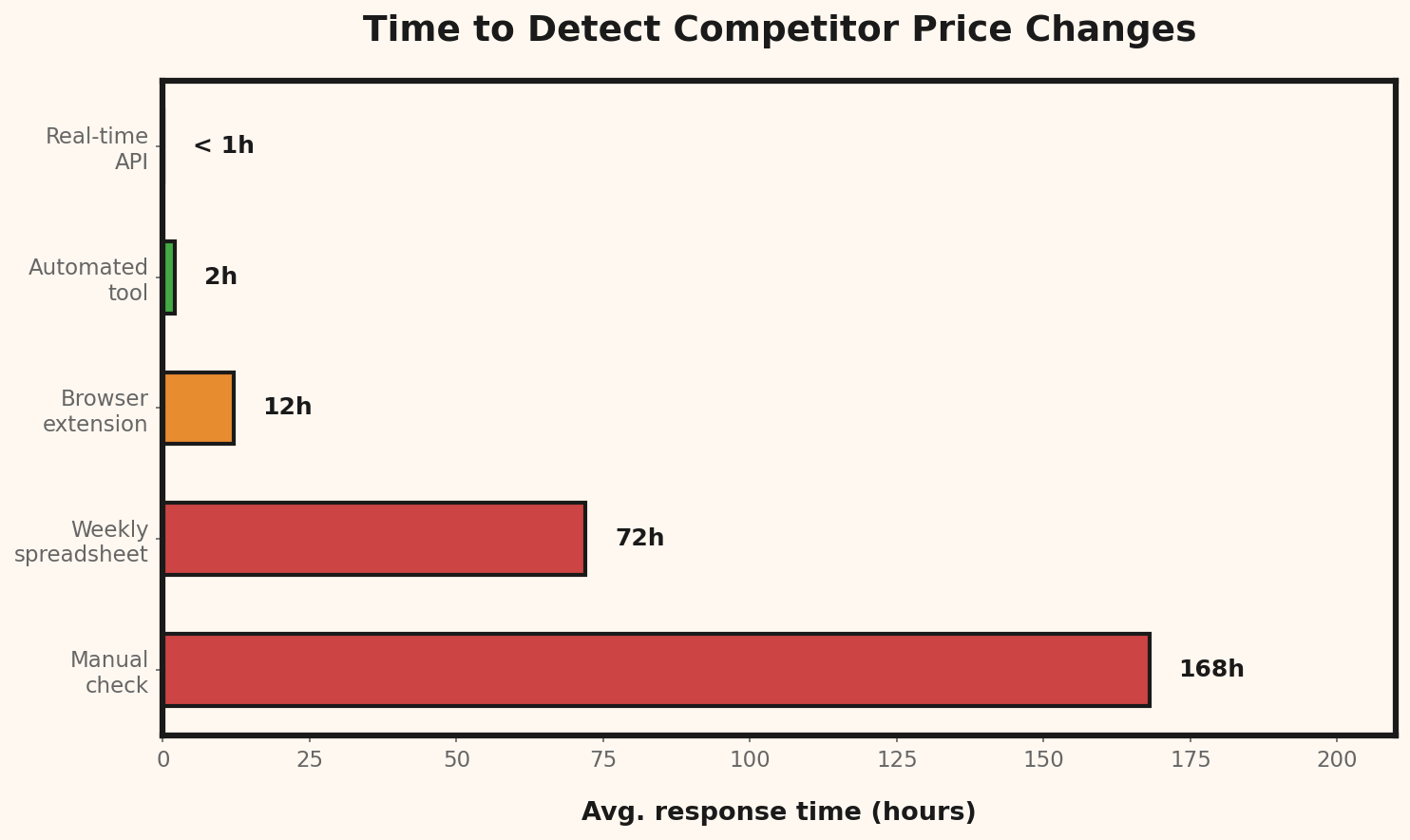
Maybe you check the prices of your three biggest competitors once a week. You open their shops, scroll through the products, and jot down prices in a spreadsheet. Sounds doable? Let's do the math:- You sell 50 products
- You have 5 relevant competitors
- That's 250 price points you need to check
- Each price check takes about 1–2 minutes (load the page, find the price, write it down)
- That's 4–8 hours per round
The Hidden Costs of Manual Checking
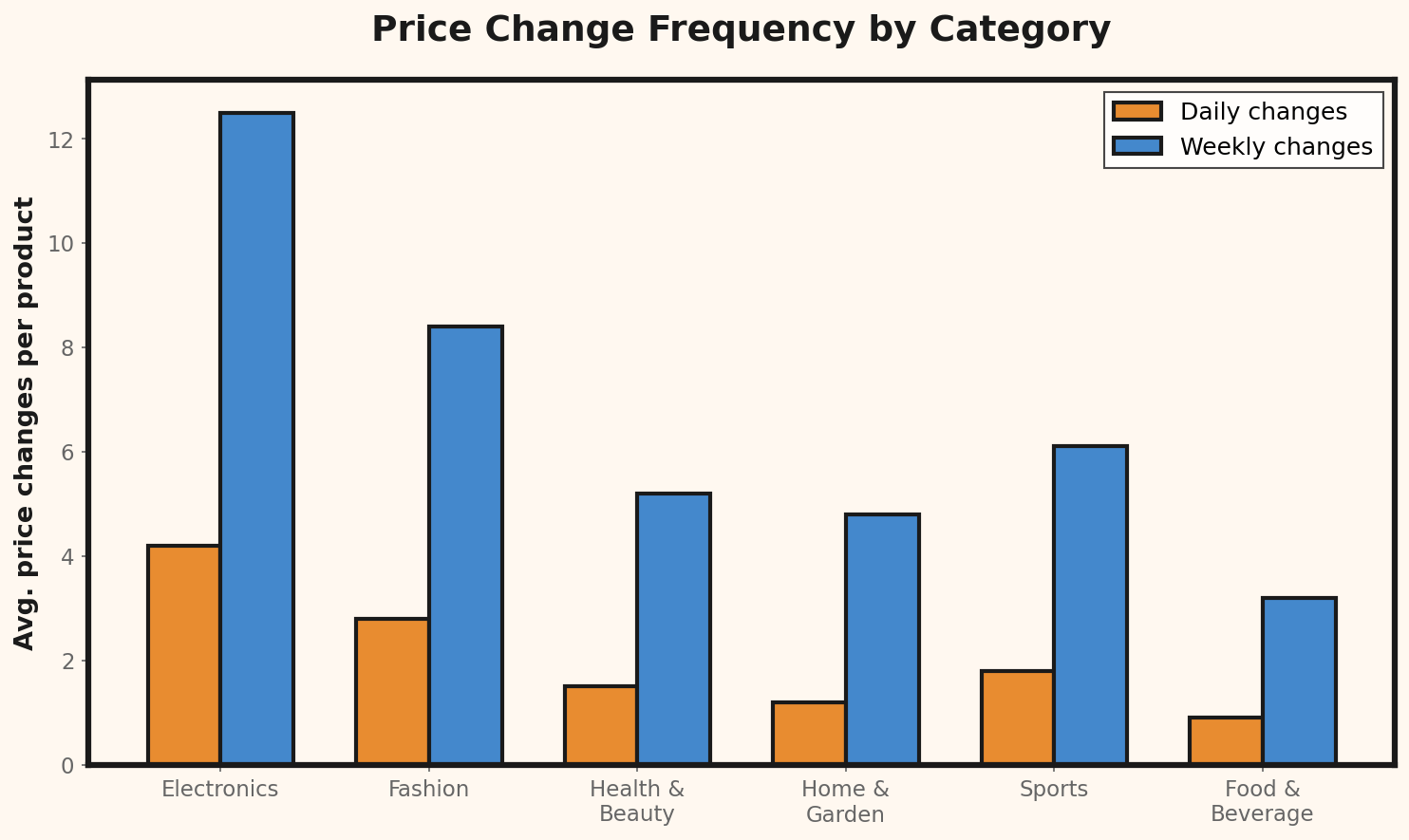
The time spent is just the tip of the iceberg. The real costs are:- Missed opportunities: Your competitor raises their price, but you don't follow suit — you're leaving margin on the table.
- Delayed reactions: By the time you notice a price drop, you've already lost customers.
- Errors: Manual data entry leads to typos. A single wrong number in your spreadsheet can lead you to a bad pricing decision.
- Inconsistency: During stressful weeks, the check gets skipped. Exactly when the market is moving.
What Happens When You Ignore Competitor Prices
Let's be honest: many small shop owners completely ignore their competitors' prices. The reasoning sounds logical at first — "My product is better, my service is better, price is secondary." That's true — up to a point.Price Comparison Happens Whether You Like It or Not
Your customers compare. 94% of online shoppers compare prices before buying. Google Shopping, Amazon, price comparison sites — the tools are just a click away. Your customer doesn't even have to actively search: Google shows price comparisons right in the search results. If you don't know how your price stacks up, you're flying blind. And flying blind is not a business model.Three Scenarios That Cost You Money
Scenario 1: You're too expensive without knowing it. Your competitor has dropped their price. Your conversion rate slowly declines, but you chalk it up to seasonal fluctuations. Weeks later you realize: you lost customers because you were 10% above market price. Scenario 2: You're too cheap without knowing it. All your competitors have raised their prices — except you. You're selling well, but you're leaving money on the table.Missed margin calculation:
Your price: $29.99
Competitor average price: $34.99
Potential price increase: $5.00
Monthly orders: 500
Monthly missed profit: $2,500
Annual missed profit: $30,000ROI of automated price monitoring:
Tool cost per month: $25
Hours saved (manual checking): 8 hrs/week
Your hourly rate: $30
Monthly time savings: $960
Revenue gained from faster
price reactions (est.): $500/month
Monthly ROI: $1,435
Annual ROI: $17,220
ROI multiple: 57xWhat Automated Price Monitoring Really Means
Automated price monitoring doesn't mean a tool changes your prices for you. It means:
Source: Unsplash
What Good Price Monitoring Needs to Do
Not every tool is created equal. Here's what you should look for:- Broad shop compatibility: Your competitors use different platforms — Shopify, WooCommerce, Amazon, custom shops. The tool needs to handle them all.
- Reliable price detection: Many shops have complex page structures. The price might be in a JSON-LD block, a CSS element, or loaded dynamically via JavaScript. A simple scraper fails here.
- Alerts: You don't want to check a dashboard every day. You want an email when a price changes.
- Historical data: Individual price points tell you little. Price trends over weeks and months show you whether a competitor is strategically lowering prices or just running a short-term promotion.
- Affordable: Enterprise tools cost $200–1,000+ per month. For a shop with 50 products, that's absurd.
How to Get Started with Automated Price Monitoring
You don't have to monitor your entire catalog right away. Start smart:Step 1: Identify Your Top 20 Products
Which products make up 80% of your revenue? Those are the ones where competitor price changes hit you the hardest. Start with these.Step 2: Find Your Real Competitors
Not every shop in your niche is a relevant competitor. Focus on the ones that:- Sell similar products
- Target a similar audience
- Show up in the same search results
Step 3: Choose the Right Tool
This is where the wheat gets separated from the chaff. Most price monitoring tools on the market are aimed at enterprise customers. Prisync starts at $200/month, Competera only negotiates on request, Price2Spy is similar. Keepa only works for Amazon. For small shops, here's what to look for in an affordable solution:- Simple setup: Enter a URL, the price should be automatically detected — no manual selector configuration needed.
- Reliable extraction: Look for tools that use multiple methods (JSON-LD, Open Graph, Microdata, CSS Patterns) to detect prices even on complex pages.
- Affordable pricing: Aim for tools under $30/month. Some offer free tiers for up to 10–25 products.
- Multi-currency support: If your competitors sell across borders, the tool needs to handle different currencies.
| Tool | Monthly Cost | Best For |
|---|---|---|
| Keepa | $19 | Amazon-only sellers |
| Price2Spy | $24 | Budget-conscious, Europe |
| Visualping | Free (5 pages) | Very small catalogs |
| Prisync | $99+ | Mid-size stores, 100+ products |
| Approach | Time/Week | Accuracy | Monthly Cost | Scalability |
|---|---|---|---|---|
| Manual (spreadsheet) | 8+ hours | Low (human error) | $0 (but high labor cost) | Poor |
| Semi-automated (alerts only) | 2 hours | Medium | $0–10 | Moderate |
| Fully automated (dedicated tool) | 15 min review | High (95%+) | $25–50 | Excellent |
| Enterprise solution | 5 min review | Very High | $200–1,000+ | Enterprise-grade |
Step 4: Set Up Alerts
The most important feature: email notifications for price changes. This way you don't have to actively check a dashboard — you get notified when action is needed.Step 5: Develop Your Response Strategy
Just because a competitor drops their price doesn't mean you have to match it. Think about this in advance:- At what price difference do I react? (e.g., only at 5% or more)
- How do I react? (adjust price, create a bundle, communicate added value)
- What's my price floor? (below what price does the product no longer make sense?)